Builds
The Builds queue handles engine source builds, project builds, and project exports — one queue and one concurrency pool, because all three drive the same CMake toolchain and would otherwise contend for it. Like downloads, each build shows progress and can be managed while it runs — and its output is always a click away in the log viewer.
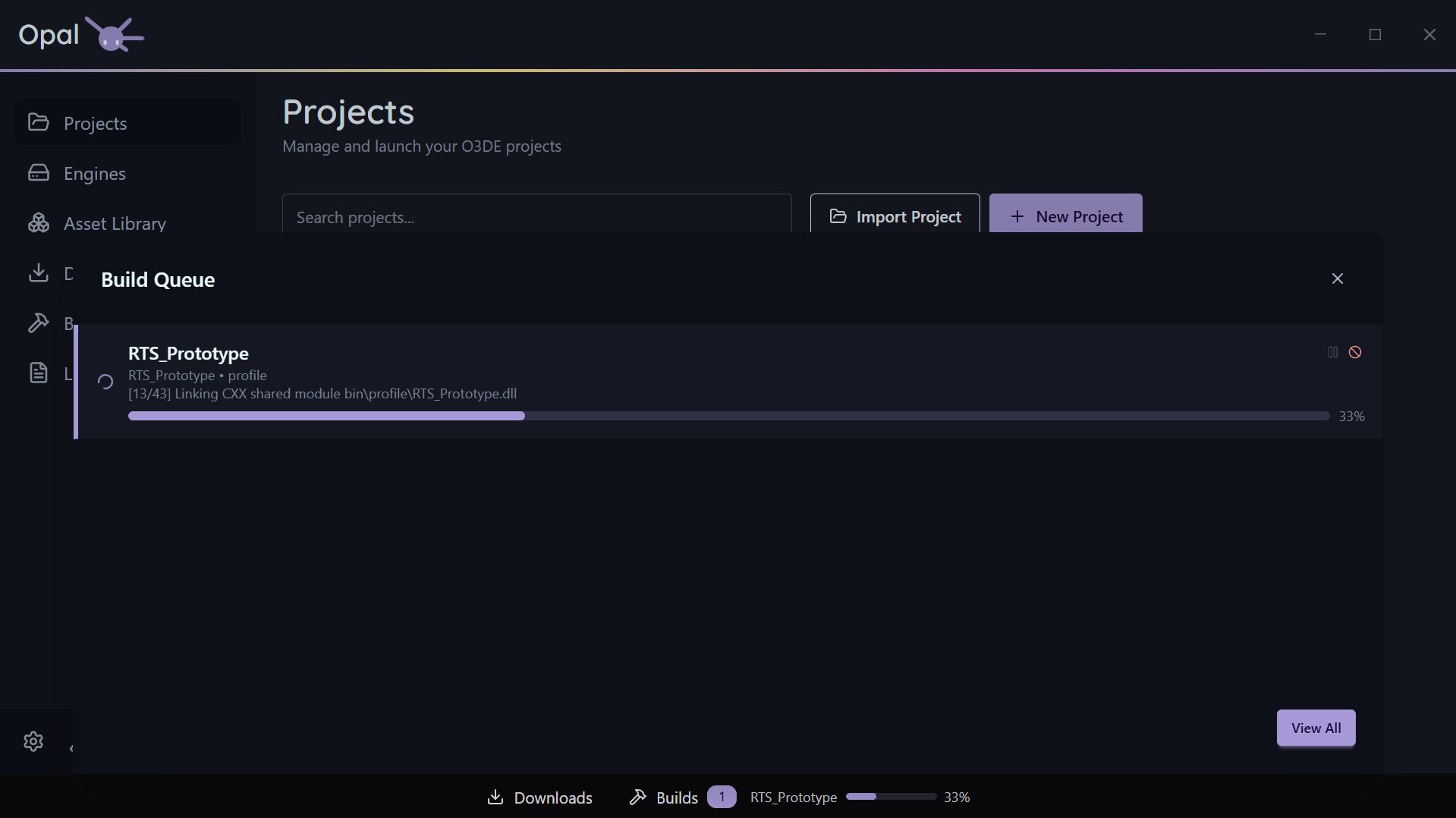
As seen in the above screenshot, using the Windows optional Ninja Builder will grant granular progress reporting. Default MS Build will not.
To install it, re-run the Setup Wizard from Settings > Application, at the bottom of the window.
Build modes
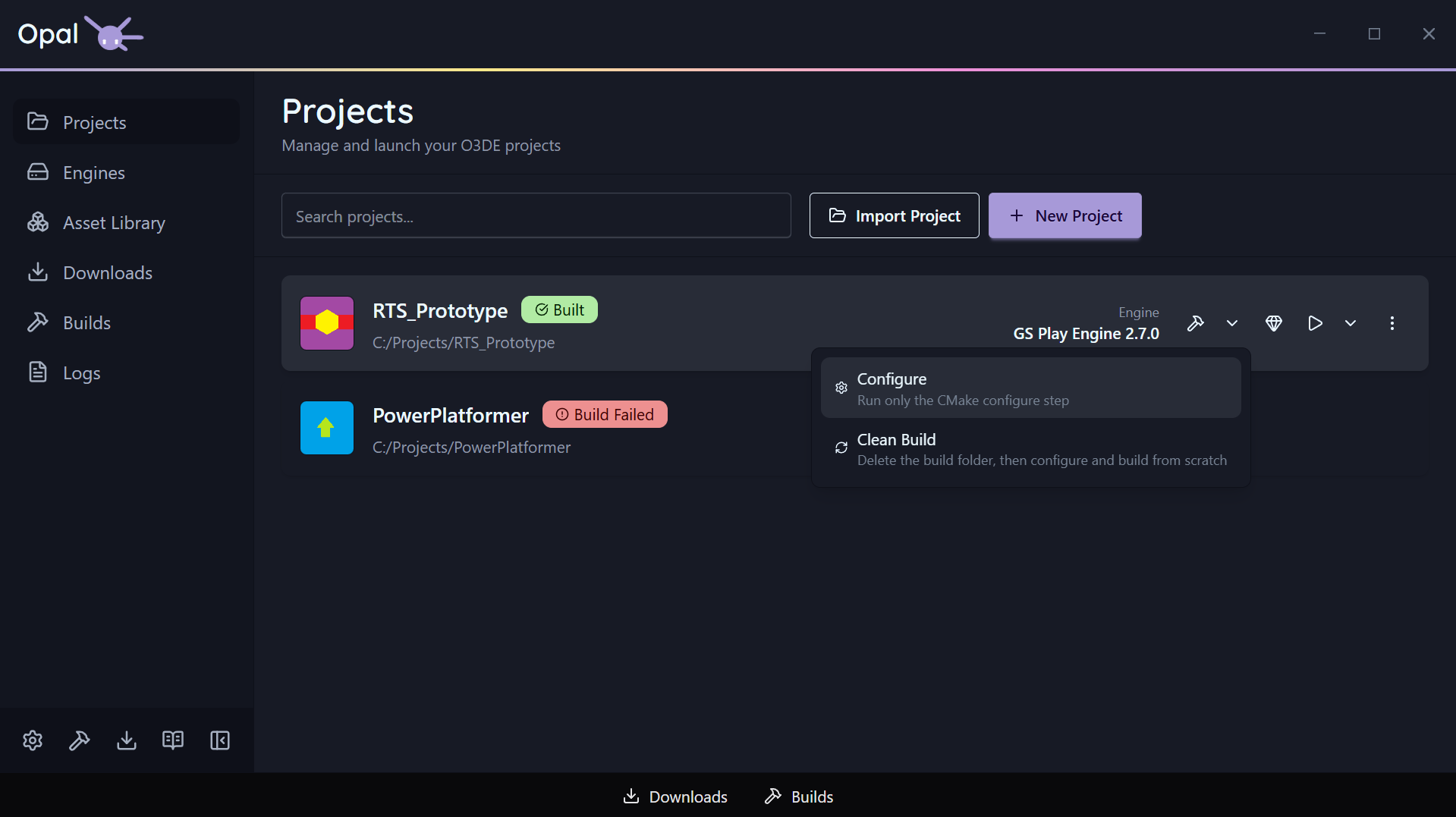
A project build enters the queue in one of three modes — Build, Configure, or Clean Build — chosen from the split build button on the project card. They behave identically in the queue; only the work differs. See Build modes.
Per-item controls
- Pause / Resume an individual build. The pause checkpoint sits between the configure and compile stages, so a build stops being pausable once CMake has finished configuring and the compiler is running. A Configure-only build finishes at that same point.
- Cancel a build. Cancelling also stops the child build processes it spawned, so nothing is left running in the background.
- Move to Top or drag to reorder, with the same smart demote / no-victim notifications as the downloads queue.
- View Log streams the build’s output into the shared Logs viewer.
Whole-queue controls
- Clear Completed clears finished builds from the list.
Concurrency
Set max concurrent builds in Settings (default 1). O3DE builds are memory-hungry, so 1 is a sensible default on a laptop; workstations can run more. Build parallelism (thread count) is set separately in Build Tools settings.