Install Engines
OPAL installs O3DE for you. The Engine Downloads page (reached from Engines → Download Engines) reads O3DE’s release metadata and presents every available build so you never have to browse the O3DE website for the right zip.
The Engine Downloads page
A two-pane layout: the release list on the left, release details on the right.
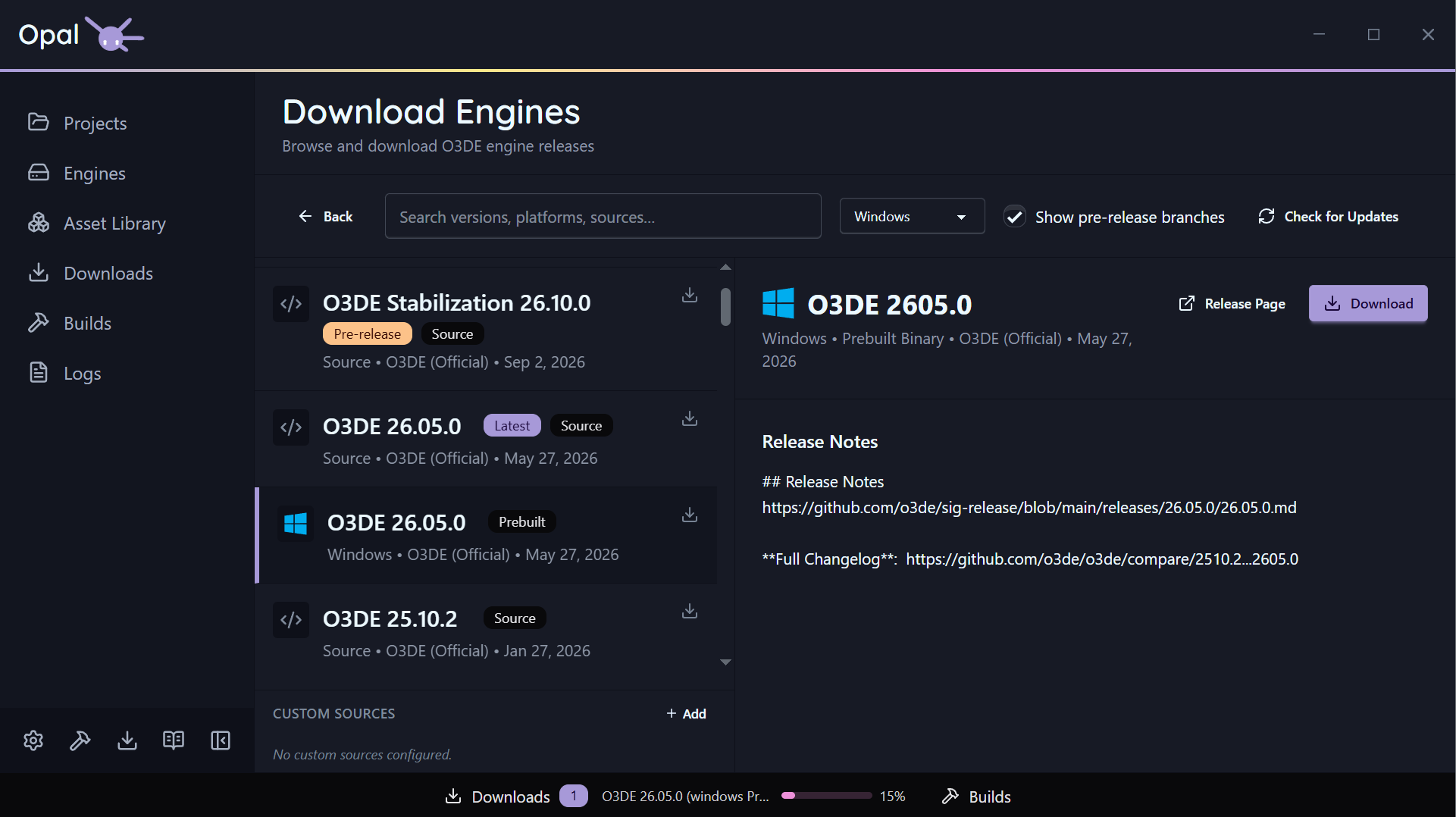
- Platform filter — All, Windows, Linux, macOS, plus Source. (The Source option is hidden when Script-Only mode is on.)
- Latest badge — marks the newest release for each platform.
- Search — filter the list by version, source, or platform.
- Installed / downloading indicators — each row shows whether that release is already installed or currently downloading.
Select a release to see its details, then start the install. Official-release downloads run in the Downloads queue; source builds also run through the Builds queue.
Older versions and pre-releases
- Older releases are simply lower down the list — pick any prior version.
- Pre-releases are hidden by default. Tick Show pre-releases to surface
developmentandstabilization/*branch builds.
Custom engine sources
Beyond the official releases, you can add your own download hosts — for example a studio’s internal engine builds.
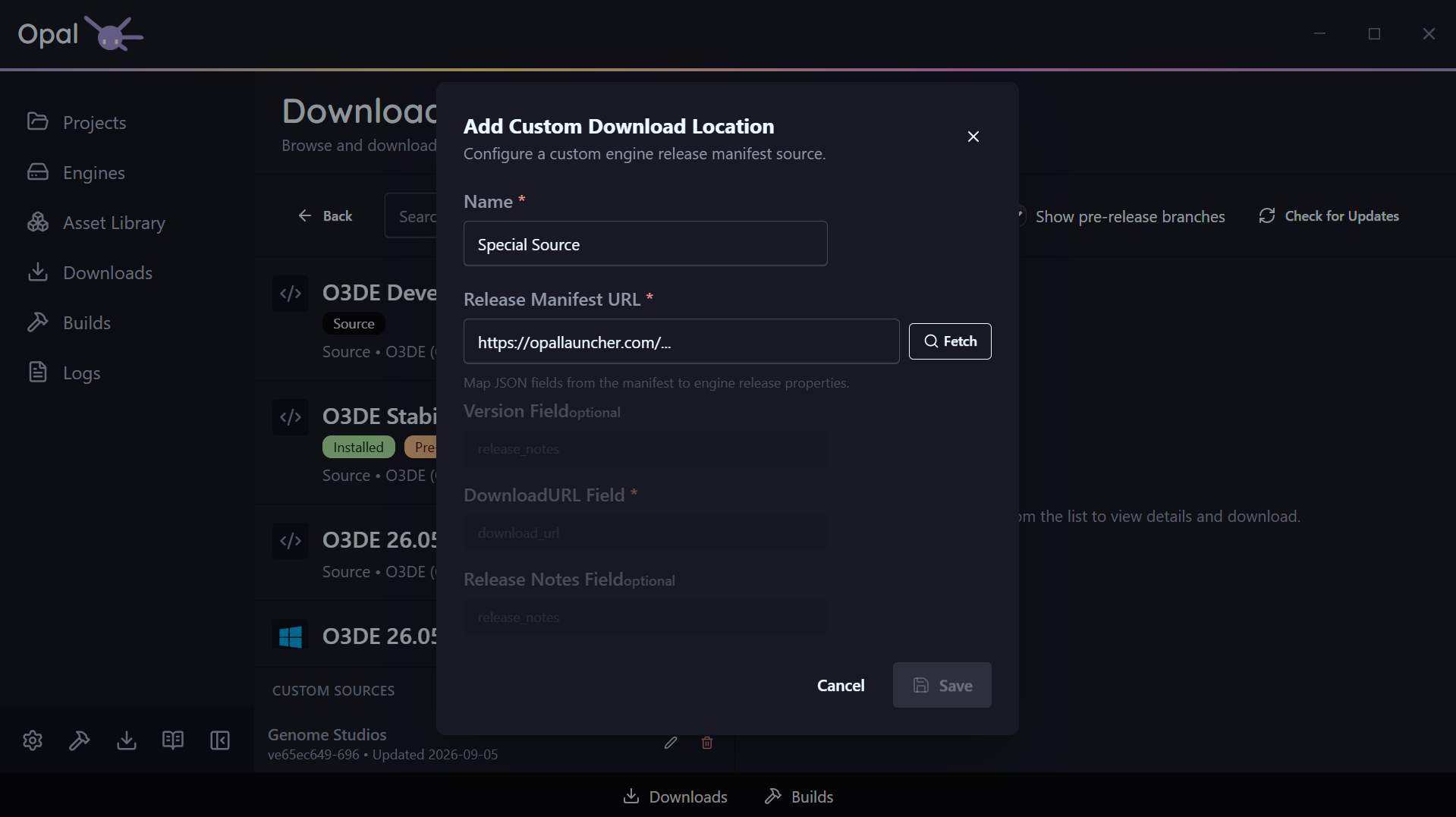
Open Custom Engine Sources, add a host, and map its JSON release manifest:
- Name — how it appears in the UI.
- Manifest URL — the JSON release manifest.
- Field mappings — which JSON keys hold the version, download URL, and release notes.
Each custom host shows its latest version and last-updated time, and a Check for Updates action refreshes them on demand. Custom-source releases appear in the list alongside official ones.