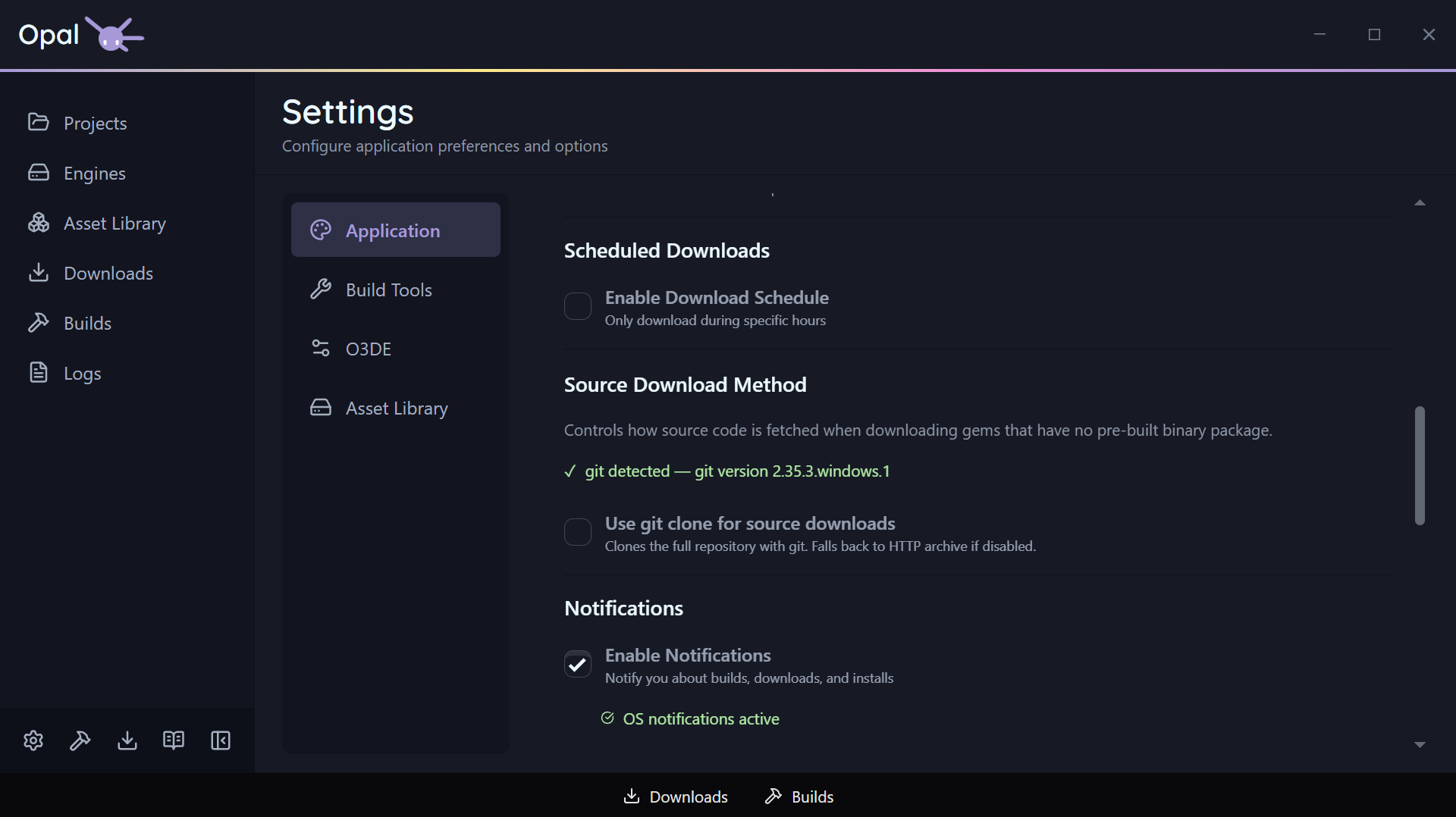
The Application tab holds OPAL’s general preferences plus the embedded Download and Notification settings.
Appearance & language
| Setting | Default | Notes |
|---|---|---|
| Theme | Auto | Light / Dark / Auto — Auto follows your OS prefers-color-scheme |
| Language | Auto | Auto detects from your OS locale; registered languages selectable |
Window behaviour & startup
| Setting | Default | Notes |
|---|---|---|
| Minimize on close | Off | Closing minimizes to tray instead of exiting |
| Minimize to tray | Off | Minimize to the system tray on startup |
| Open on startup | Off | Launch OPAL when you log in |
There’s also a Rerun Setup Wizard button here to re-launch the onboarding wizard on demand.
Download settings
| Setting | Default | Notes |
|---|---|---|
| Max concurrent downloads | 3 | 0 = unlimited |
| Max connections per download | 3 | Up to 16 |
| Throttle download speed | Off | |
| Speed limit | 10 | Value paired with the unit below |
| Speed unit | Mb/s | Mb/s or Kb/s |
| Schedule downloads | Off | Restrict downloads to a time window |
| Schedule window | 00:00–23:59 | HH:mm; windows crossing midnight are handled |
See Downloads for how these behave in the queue.
Notification settings
Native OS notifications, controlled per severity. A master switch turns all of them off at once.
| Setting | Default |
|---|---|
| Notifications enabled (master) | On |
| Warnings | On |
| Errors | On |
| Successes | On |
| Status info (lifecycle events) | Off |
| Debug (progress/internal, throttled) | Off |
Analytics
One checkbox: Share anonymous usage statistics. It is off by default and stays off unless you tick it — OPAL asks once in the onboarding wizard, and this is where you change that answer afterwards, in either direction.
| Setting | Default |
|---|---|
| Share anonymous usage statistics | Off |
A Learn more button opens the same plain-language notice the wizard shows. Nothing is collected that identifies you, nothing is shared with anyone else, and while the setting is off the tracker isn’t loaded at all. Full detail on the Privacy page.