Every project card tells you its state without you having to open anything. There are two layers: the build status badge, and — when the project is running — a run state.
Build status badges
| Badge | Meaning |
|---|---|
| Not Built | The project exists but has never been built |
| Needs Build | The project has changed since its last successful build |
| Configuring | CMake is generating the project — the first stage of every build mode |
| Configured | A Configure run finished — the project is generated but not compiled |
| Building | A build is in progress |
| Built | The build is current — ready to launch |
| Build Failed | The last build errored — check Logs |
Every build passes through Configuring before it starts compiling. Configured is where a Configure-only run comes to rest: the project is generated, but there is nothing to launch yet, and the Launch button stays disabled until you build it.
Run states
While a project is launching or open, the card shows a run state instead: Launching, Processing Assets, or Running, with a Stop control to shut it down.
Missing-engine recovery
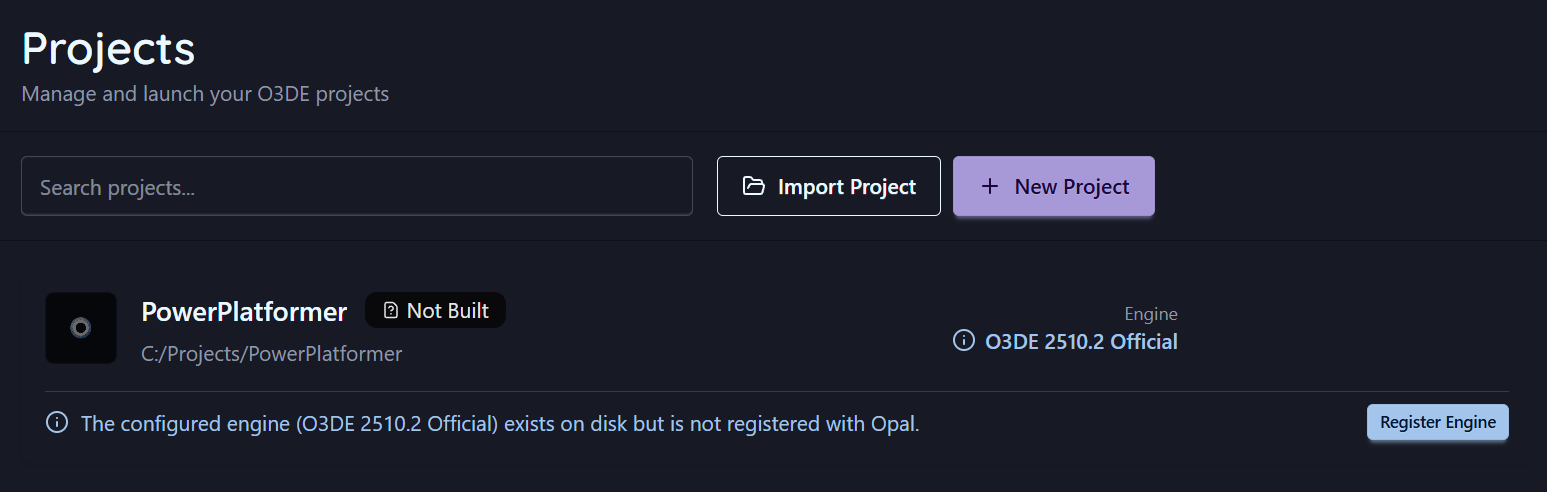
A project points at an engine. If OPAL can’t cleanly resolve that engine, it doesn’t just error — it identifies which of three situations you’re in and offers the matching fix inline on the card:
| Situation | What it means | Inline action |
|---|---|---|
| Engine not on disk | The referenced engine isn’t installed anywhere OPAL can find | Add Engine (go to Engines) |
| Engine present but unregistered | The engine folder exists on disk but isn’t registered with OPAL | Register Engine |
| Engine resolved loosely | Matched only by name/version, not an exact pinned path | Pin Engine |
Reassigning or reinstalling the engine clears the warning. See also Remove & prune for what happens to pinned projects when you remove an engine.
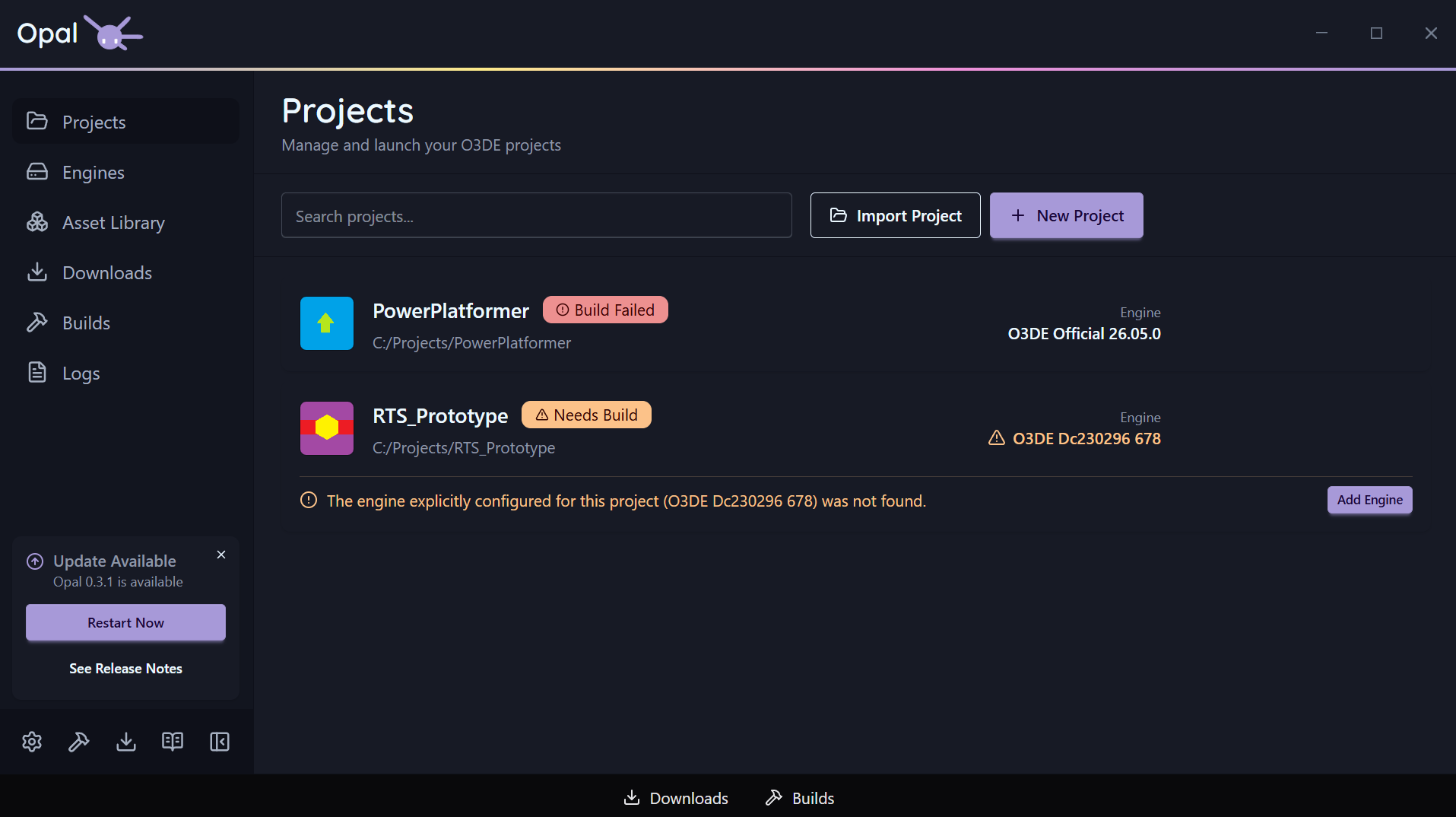
Missing-gem detection
OPAL also checks the gems a project references, including nested dependencies. If any can’t be found for the project’s engine, the card shows a missing gems banner, because configure will fail until they’re provided. The banner links into the gem configuration page, filtered to that project’s gems.
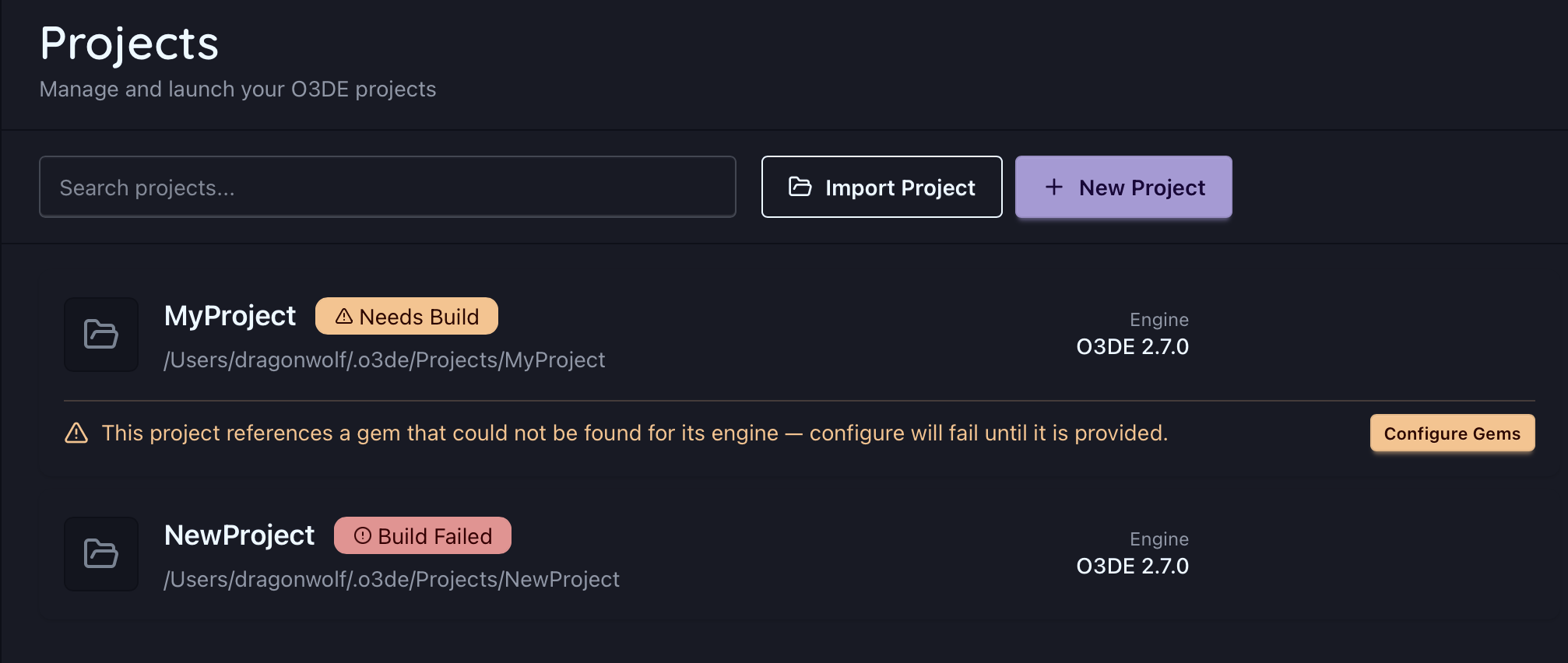
See Missing gems for how to register or download them.