Most build behaviour is configured once, globally, in Settings. A few things, though, belong to the individual project — OPAL keeps those in per-project settings, keyed to the project’s path.
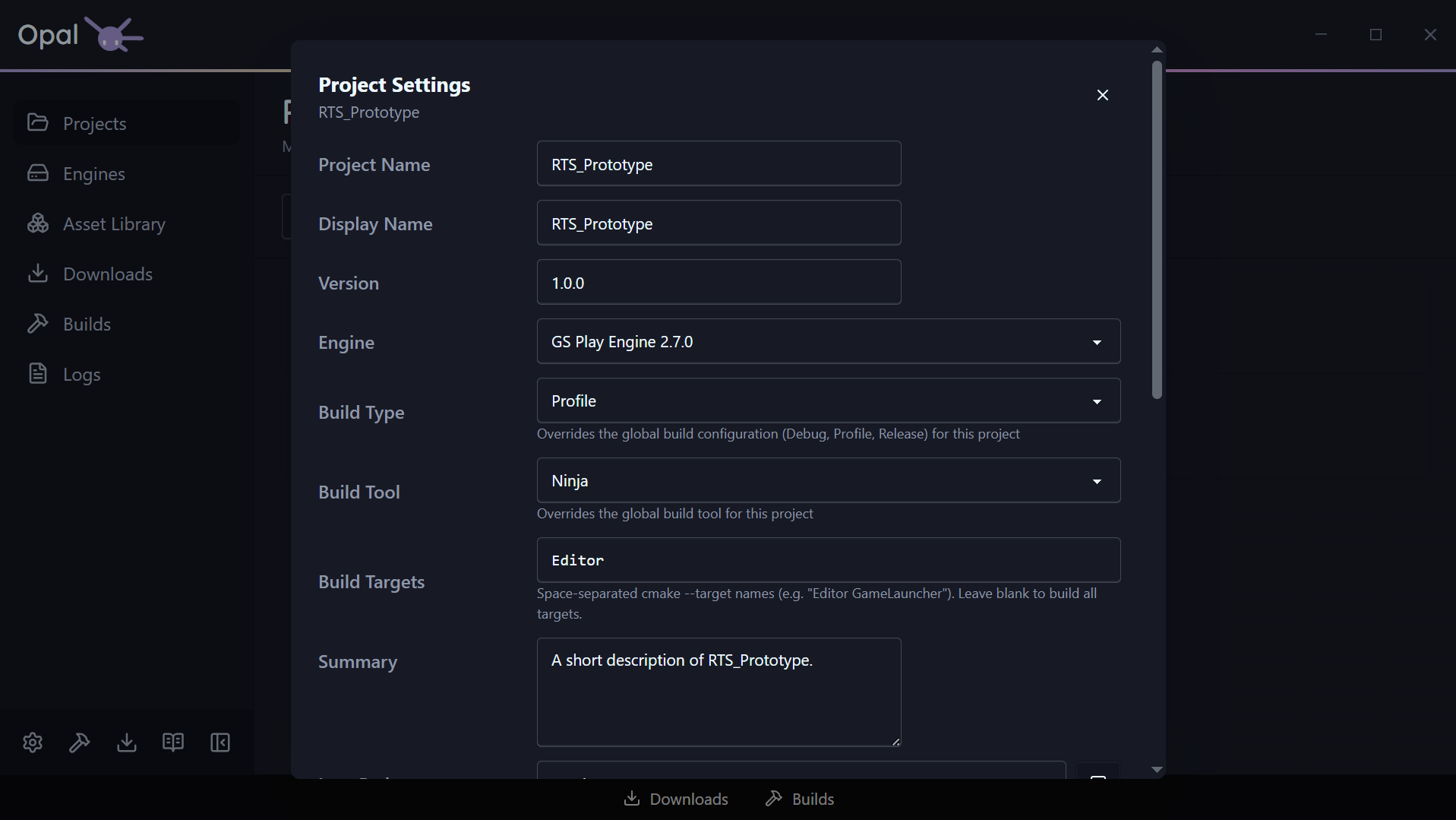
Open them from the project’s Settings action. Alongside the project.json fields (name, version, summary, icon, licence, repository, tags, gems), the dialog carries the advanced build and launch overrides below.
Engine pin
Each project resolves to an engine. From the project’s settings you can pin it to a specific installed engine (the same relationship the status & health page describes recovering when it breaks). If the pinned engine isn’t installed, the field warns you inline.
Build type
Choose the build configuration this project compiles and launches with: Debug, Profile, or Release.
Leave it on Use global setting and the project follows the global build configuration (Profile by default). Set it explicitly and this project alone is pinned to that configuration — useful when one project needs a Debug build for stepping through code while everything else stays on Profile.
The choice feeds both halves of the loop: it’s the configuration the build produces, and the configuration OPAL looks in when finding the Editor and other applications to launch.
Build tool override
Globally, OPAL uses one selected build tool (see Build Tools settings). A project can override that with its own build tool when it needs a different generator than your default — otherwise it inherits the global choice.
If the project’s existing build folder was configured with a different CMake generator than the one you’ve selected, OPAL says so right below the field. That’s a heads-up, not a block: the next build clears the cache and reconfigures with your selection.
Using the Windows optional Ninja Builder will grant granular progress reporting. Default MS Build will not.
To install it, re-run the Setup Wizard from Settings > Application, at the bottom of the window.
Build targets
By default a build compiles everything. Build targets narrows that to a specific list — space-separated cmake --target names, such as:
Editor GameLauncher
Leave the field blank to build all targets. Projects created through OPAL start with Editor, so a first build gets you into the Editor without compiling launchers you aren’t using yet.
Launch arguments
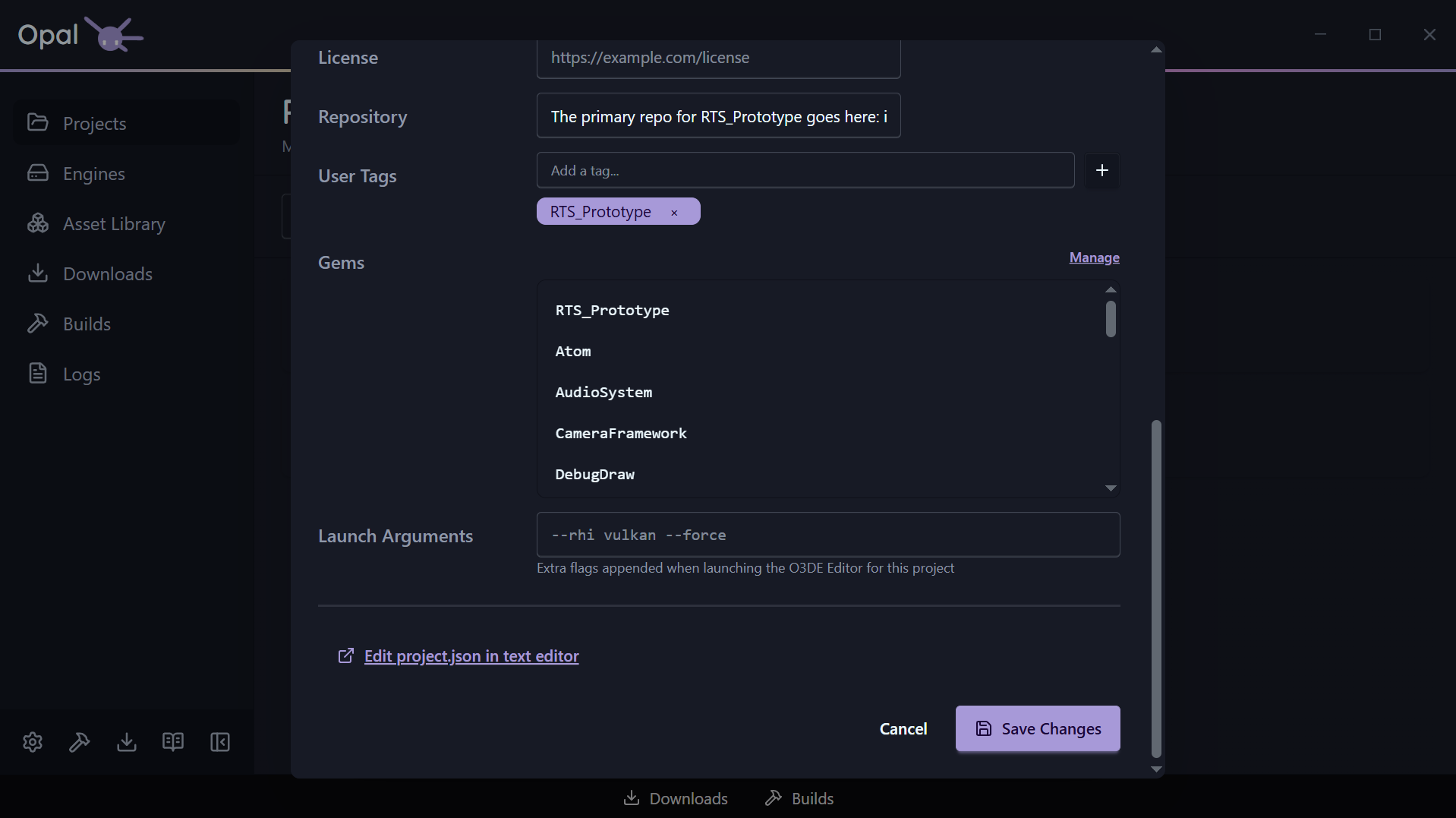
Extra command-line flags appended when this project’s O3DE Editor launches — for example:
--rhi vulkan --force
Two things worth knowing:
- They apply to the Editor only. Tools and runtimes started from the project’s Run menu are launched without them.
- The field is validated as you type. Every flag has to be preceded by a space (
--rhi vulkan --force, notvulkan--rhi), and Save Changes stays disabled until the value parses.