Every project in OPAL is a standard O3DE project — OPAL writes and reads the normal project.json manifest, so projects stay compatible with the O3DE Editor, the o3de CLI, and the stock Project Manager.
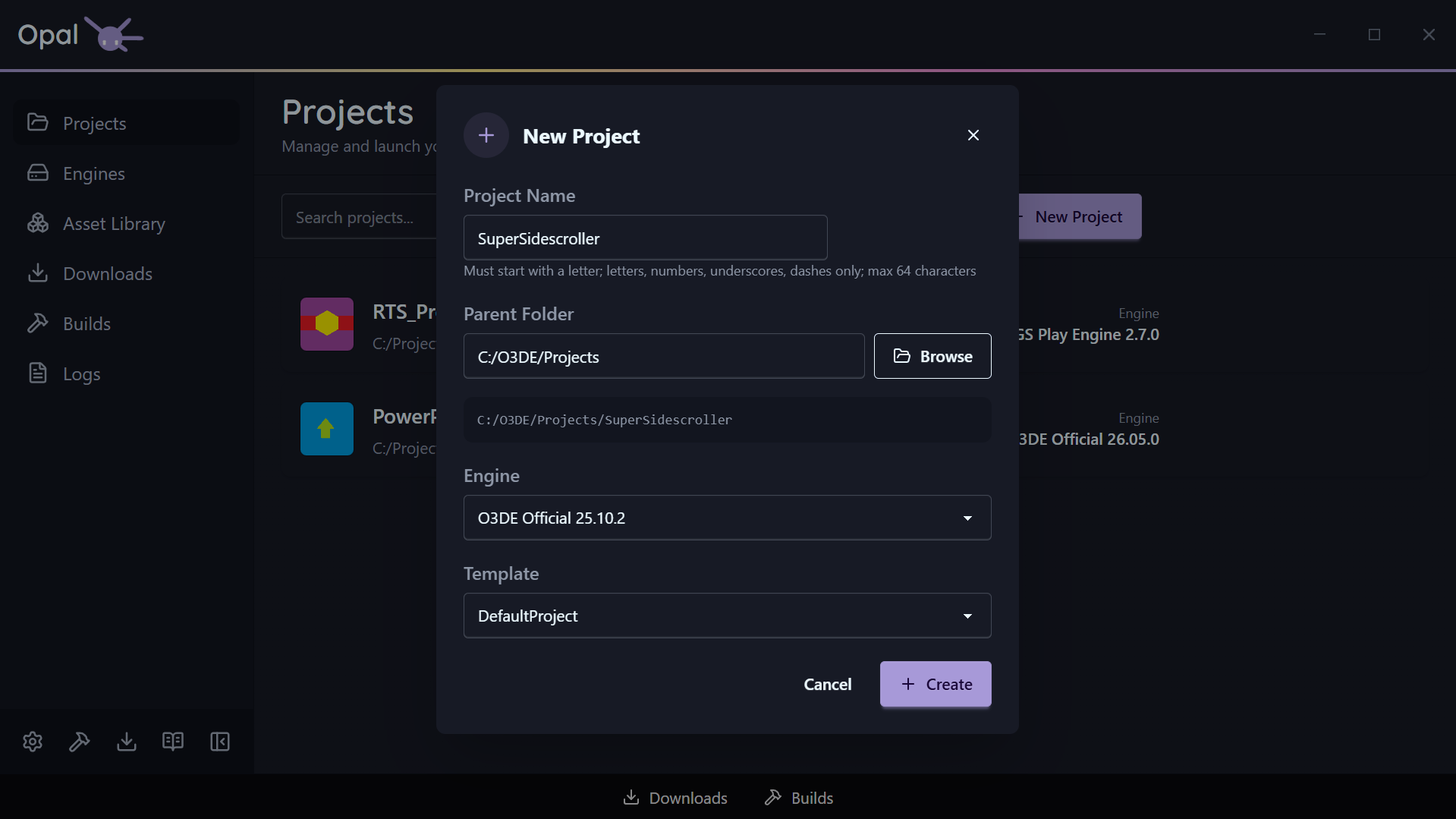
Create a new project
Click New Project and fill in the dialog:
- Name — validated as you type: it must start with a letter and contain only letters, numbers,
_, or-, up to 64 characters. - Location — the parent directory the project folder is created in.
- Engine — defaults to your default engine; choose any installed engine instead.
- Template — OPAL auto-selects
DefaultProject; pick a different template if you prefer.
Click Create. OPAL creates the project, writes project.json, registers it, and adds it to your list.
Import an existing project
Click Import and select a folder that contains a valid project.json. OPAL reads the manifest, resolves which engine the project expects, and adds it to your list without modifying the project. This works for projects created anywhere — including the stock O3DE Project Manager.